CACWT: How to Self Enroll in Trainings for Trainings (T4Ts)


Open up a web browser. CACWT works best with Google Chrome, Firefox, and Microsoft Edge.
Log-in to CACWT: https://cacwt.dss.ca.gov/LearnerDashboard.aspx
You are on the learner dashboard (if not, find your name and change your role to learner)
On the left hand side there is a list of options, select "Register for Course"
On the page that will open, select "Child Welfare Workers" and search for the class you are looking for. This guide is looking for the Working with Fathers T4T.
Once you find the T4T, you will click "Register" which will then "add it to the cart".
In the top right, you will select "Proceed to Checkout"

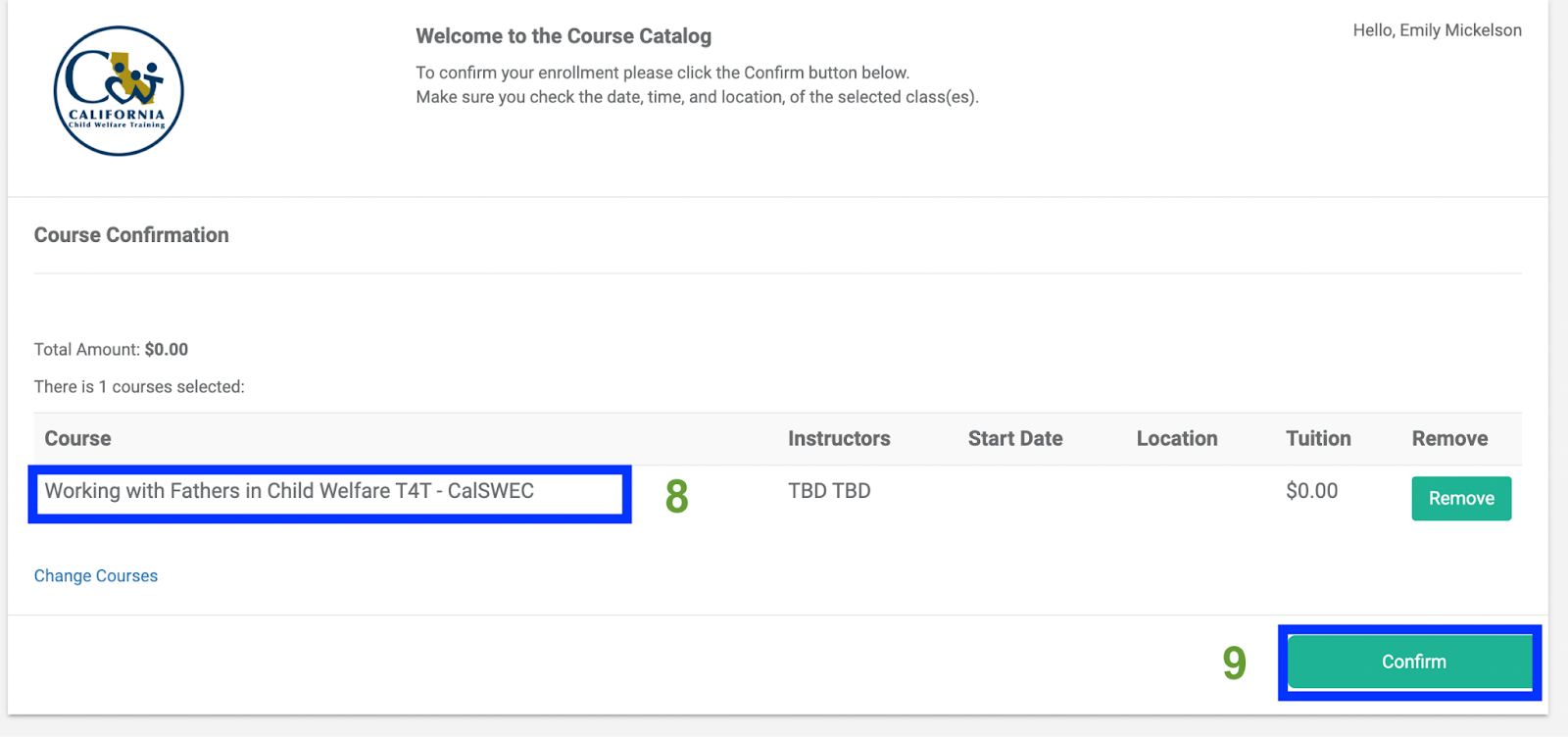
Confirm that you selected the correct course.
Click the green “Confirm” button.
The course will now show up on the learner dashboard under “Active Enrollments”