CACWT | LIA: Accessing Evaluations
LIA Participants | CACWT

Purpose: To show LIA participants how to access their evaluations after each topic via CACWT.
**Evaluations will be made visible and released when it is time to take them.
Login to CACWT: https://cacwt.dss.ca.gov/
When you log in, you will be on your learner dashboard.
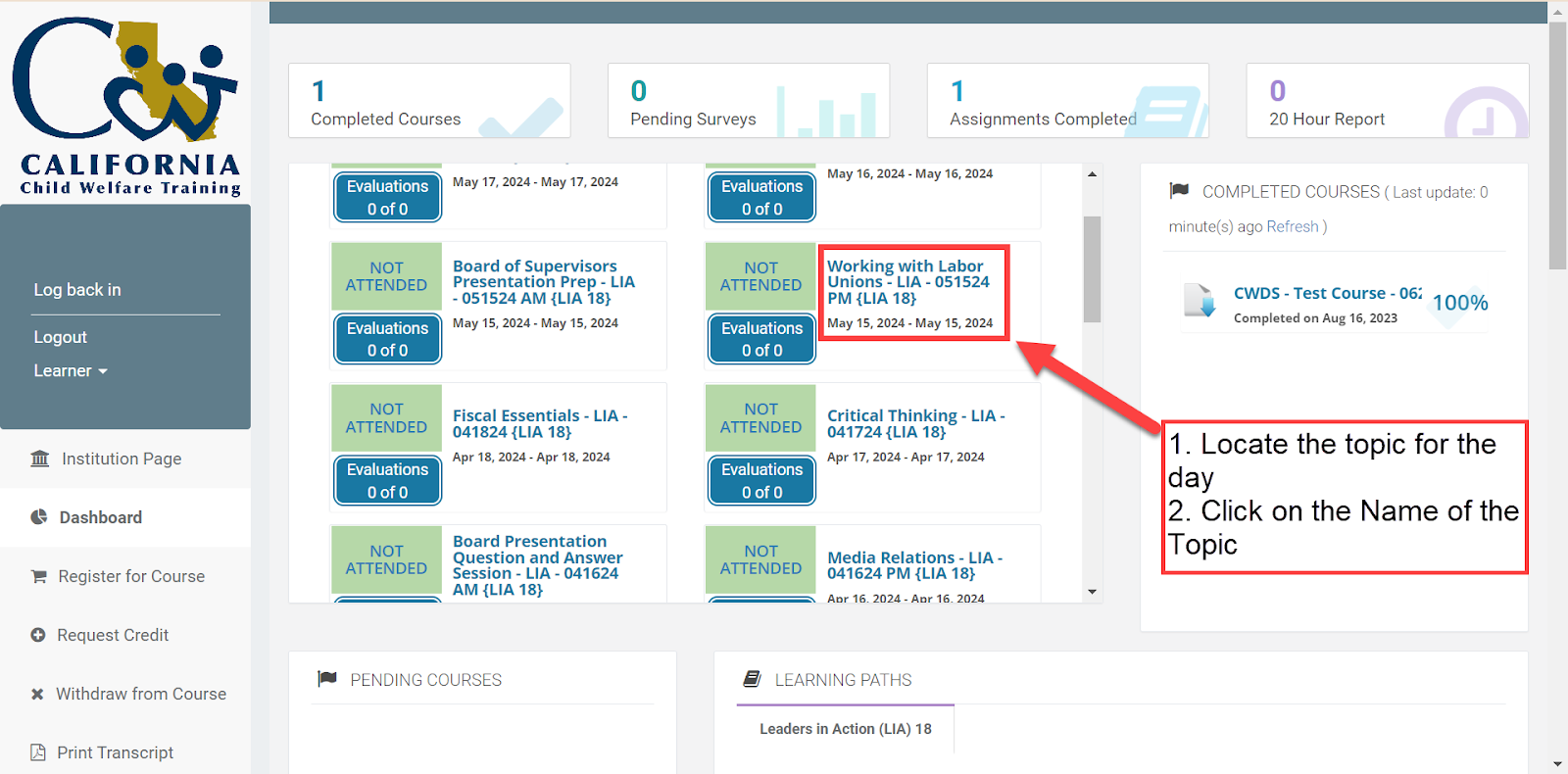
In the middle panel, locate the topic for the day
Click on the Name of the Topic
This will launch a new page that has the details of that specific topic
Once on that page, click on the link on the Course Content page that says LIA [Series Number] Organization.
Evaluation links are located in the folder for its corresponding block and topic.
Scroll to the Block you are in and click on the Box
The box will expand with folders for each of the topics
Click on the title of the topic you are participating in
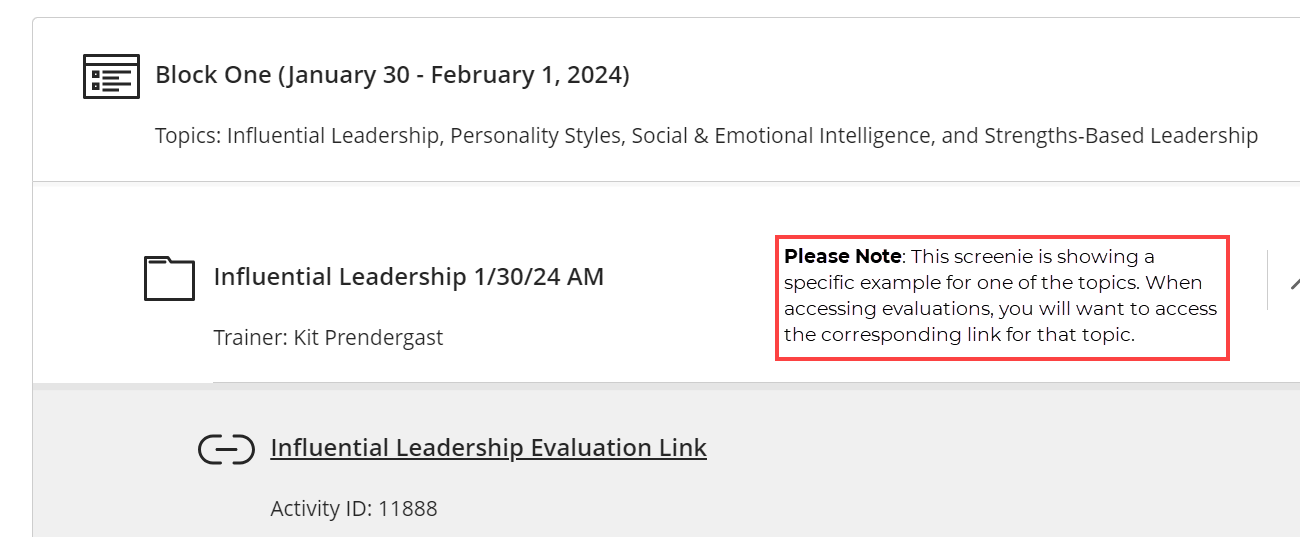
If the eval link has been released, click on the Evaluation Link
A new tab will appear with the evaluation
** If it is time to take the evaluation and you still do not see it, but others do, refresh your page.